
LibT Project – 1. Semester
Von Daniel Studera am 21.01.2026
For the first semester mobile project, I decided to build a link-in-bio tool with the working title LibT.
The idea is inspired by existing tools like Linktree or Beacons. My main goal was to make this kind of functionality easy to use, while still offering many design options and without forcing users into a monthly subscription.
Features
During the planning phase, I defined the basic features that are needed to use the tool properly.
-
Authentication
- Login
- Register
- Password reset
-
Profile Management Dashboard
- Create and manage a profile
- Edit profile content
- Customize the design of the profile page
- Use templates
-
Analytics
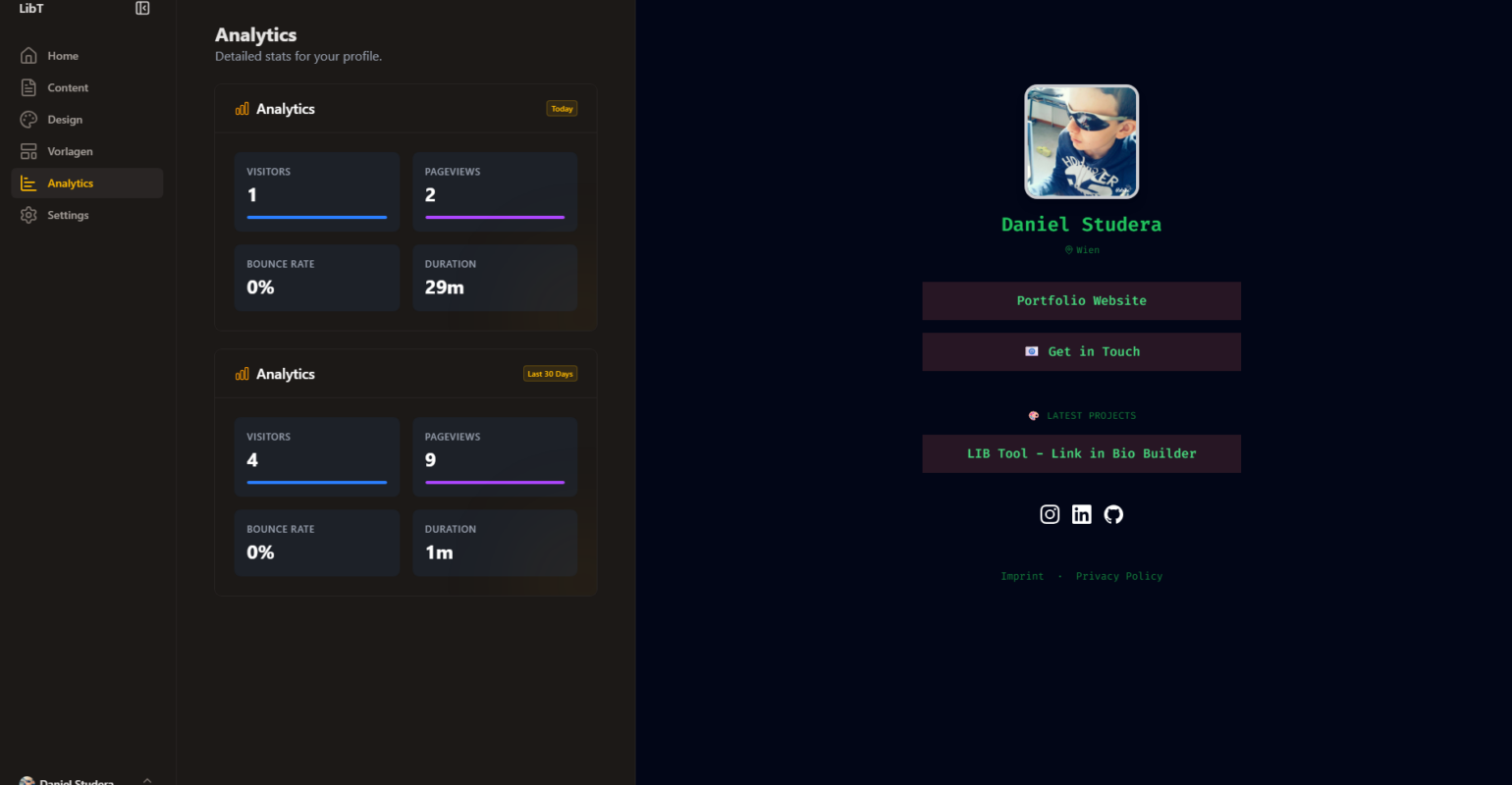
- Visitors
- Page views
- Bounce rate
- Session duration
-
Public Profile Page
- A public page that shows the profile and links
Tech
For the technical foundation of the project, I chose the following technologies:
- Nuxt 4
- Nuxt UI
- Supabase (self-hosted, PostgreSQL)
- Tailwind CSS
- Plausible (self-hosted, used for analytics)
Implementation Process
Because the total project time was limited to 100 hours, I had to focus strongly on the most important parts. Since this project allows users to design their own profile pages, I skipped most of the visual design work and focused on functionality first.
Database Structure
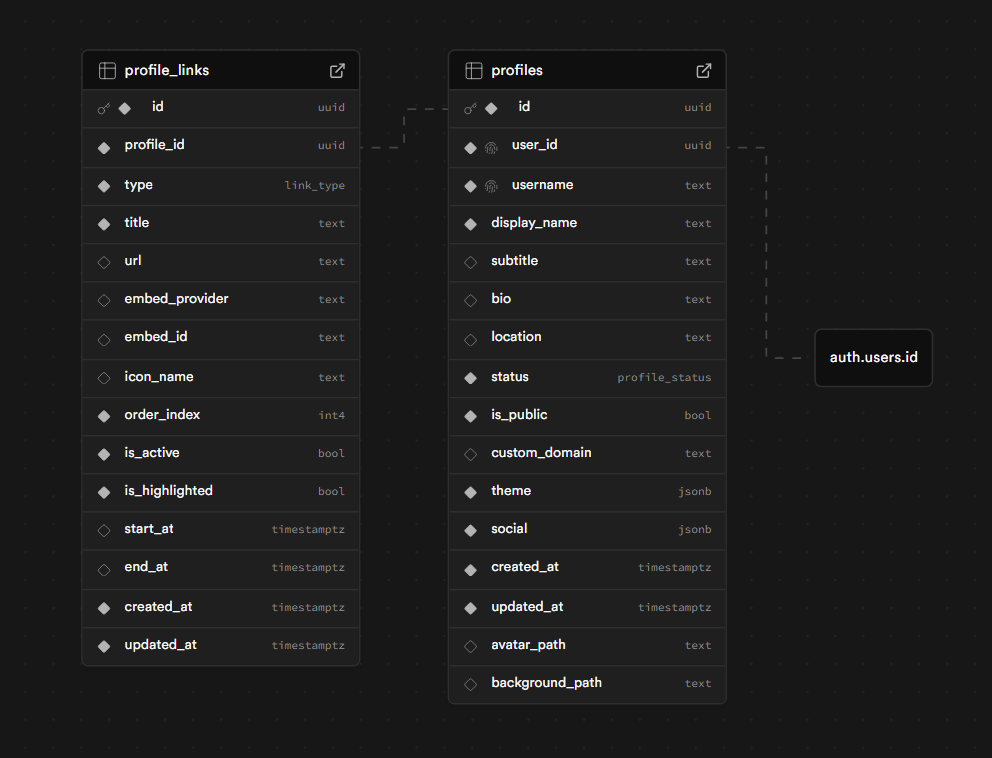
I started by planning the data structure. I used the authentication system and tables provided by Supabase and added my own tables on top of that.
A profiles table that stores all profile-related content except the links.
This includes fields like display_name, bio, location, and a JSON field that contains all theme settings. This makes it easy to switch or extend themes later.
A profile_links table that stores all links belonging to a profile.
Each link has attributes like title, url, and is_highlighted.
Security and Access Control
The frontend connects directly to the Supabase backend using an anon key and the project URL.
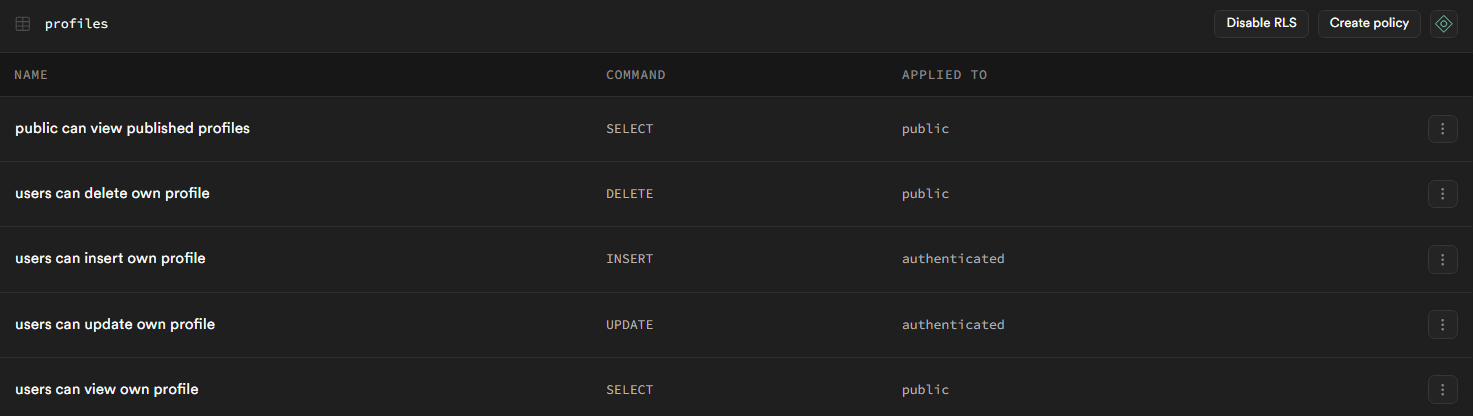
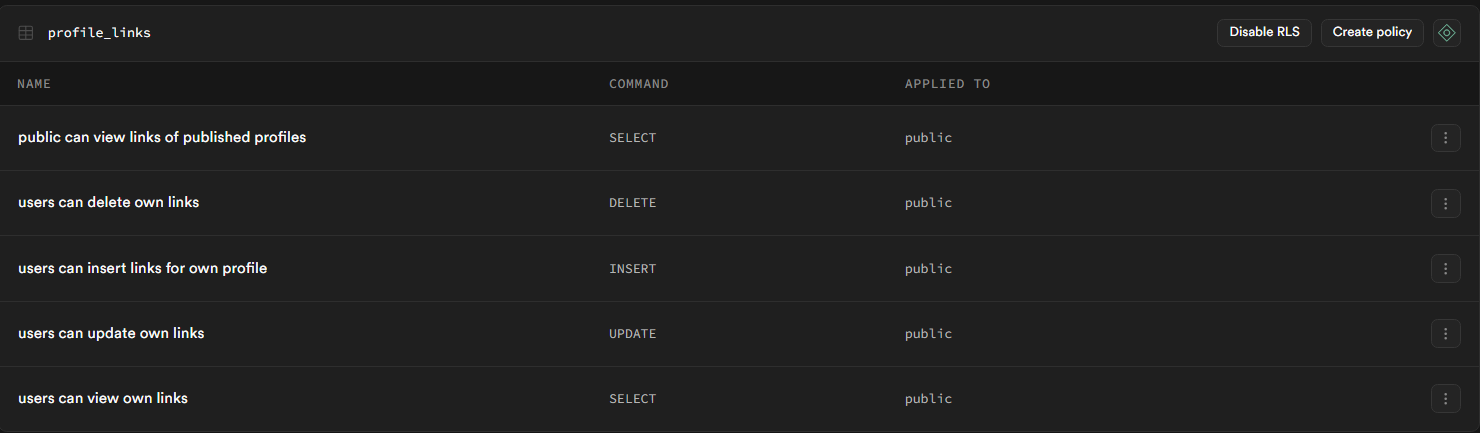
To make sure users can only read or edit data they are allowed to access, I used Row Level Security (RLS).
Some examples:
- Everyone can read public profiles that are not in draft mode.
- Profiles and profile links can only be edited by their owner.
Frontend and Dashboard
After setting up the backend, I started working on the frontend.
The authentication system was very easy to implement because Supabase already provides most of the required functionality. Email verification is also included and is sent via a Gmail account.
For the dashboard, I had a rough concept in mind from the beginning.
Using the Nuxt UI dashboard system made the setup much easier, since it already provides layouts with sidebars, panels, and navigation.
The dashboard is structured around a sidebar with the following sections:
- Content and Design Editor
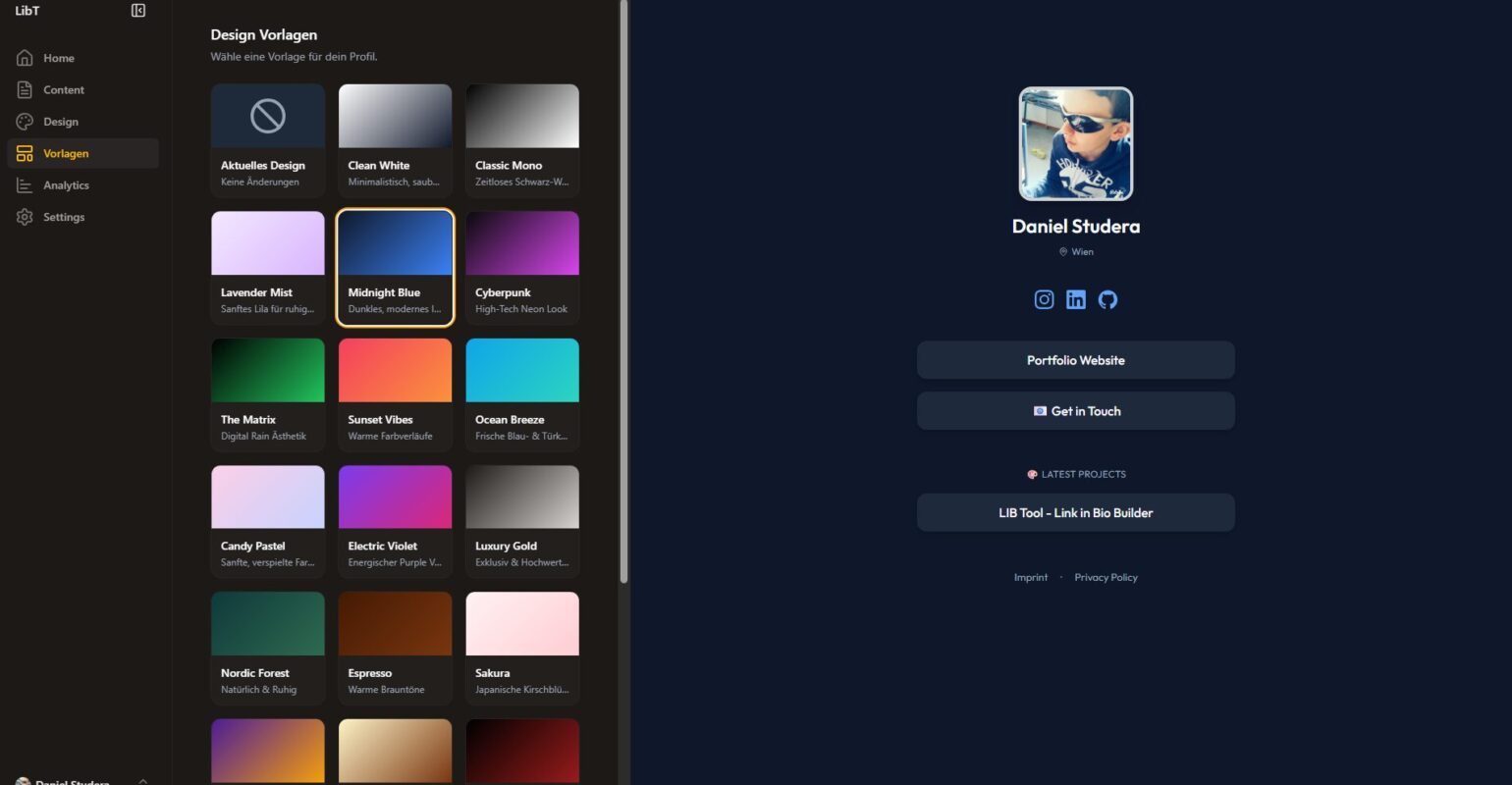
- Templates
- Analytics
- Settings
In the content and design editor, users can change almost all profile and link attributes and see the result live next to the editor.
All changes are saved as a draft first. Once the user saves and the profile is set to public, the changes go live.
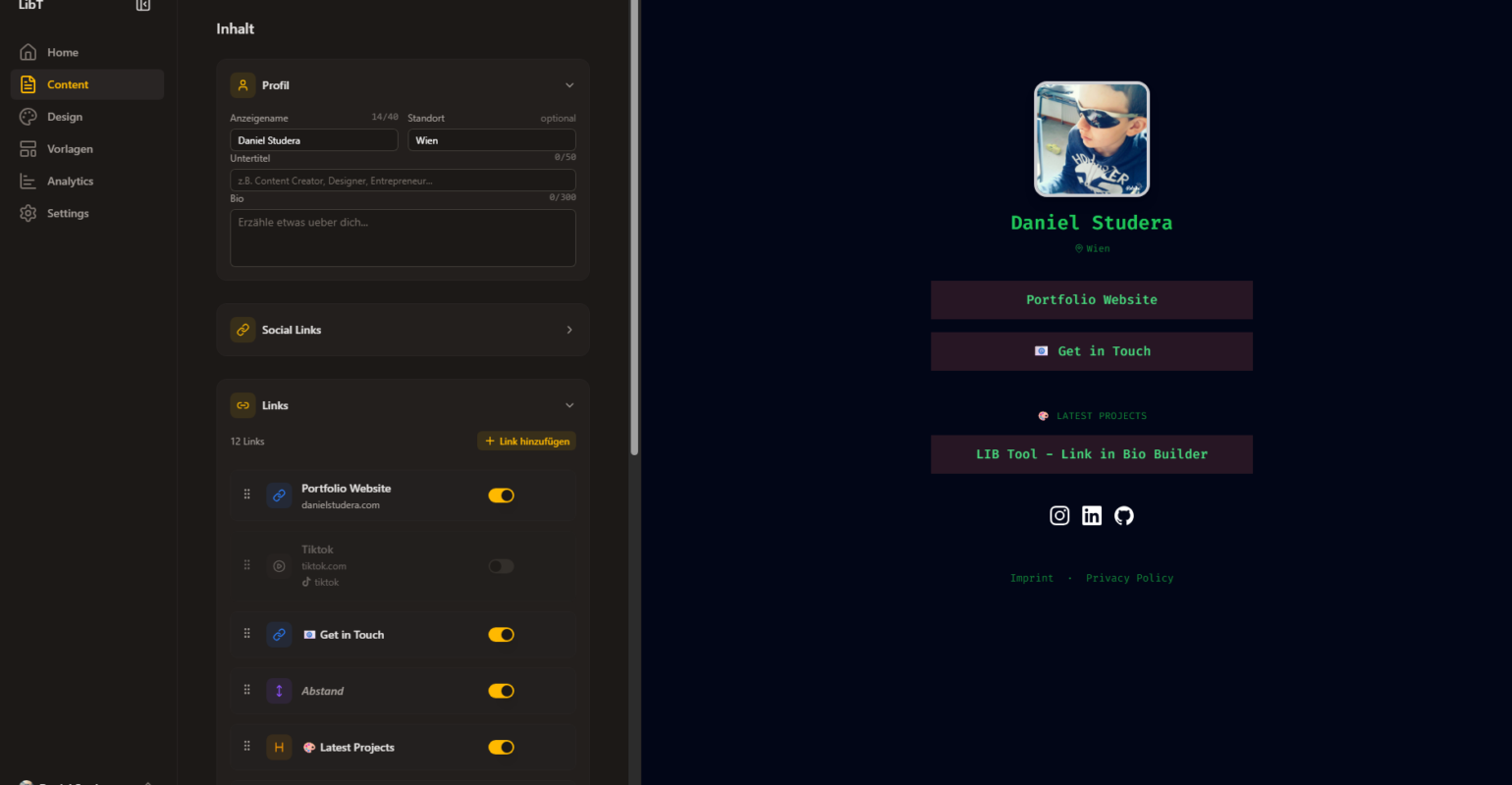
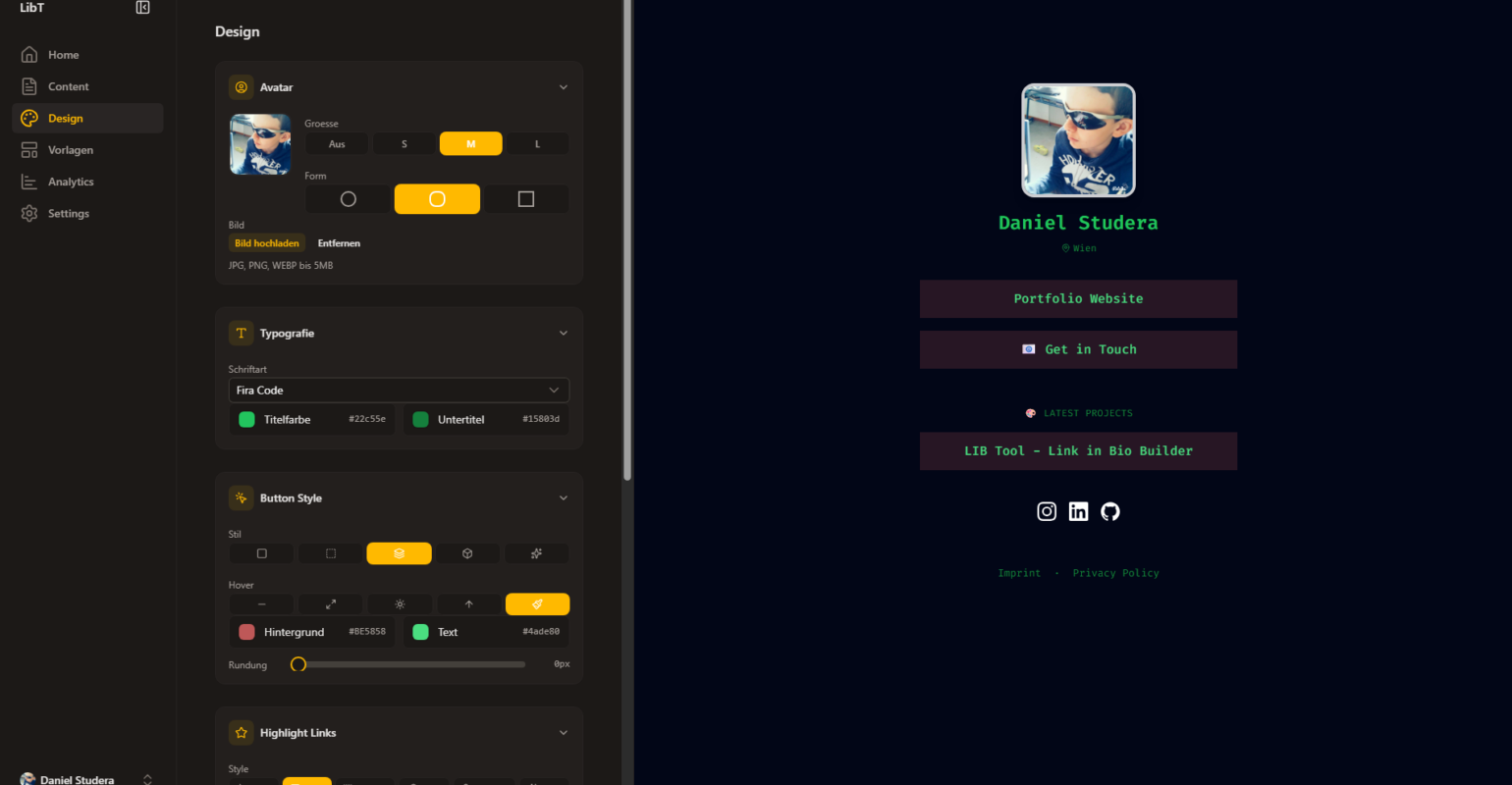
The profile design is based on theme JSON files. There is a list of predefined themes that can be selected in the dashboard. Each theme JSON contains all styling information, such as colors and layout settings. By swapping the active theme JSON, the visual appearance of the profile can be changed dynamically without affecting the profile content.
Analytics
For analytics, I chose Plausible because it can be self-hosted and is more privacy-friendly than alternatives like Google Analytics.
A big advantage is that no cookie banner is required.
The setup was simpler than expected. I deployed Plausible using Docker on my server, created a project for the site, and then connected it to the Nuxt app using a Nuxt plugin. Overall, this part took much less time than I originally planned.
My Other Project – “Swiva”:
Swiva is a mobile app for saving ideas, places, recipes and activities from TikTok, Instagram, Maps and the web — and actually turning them into plans.

The comments are closed.