
Gymetrics: A Self-Hostable Fitness App with Kotlin Multiplatform, NestJS, and Dockerization
Von Jakob Laschober am 17.09.2026
I set out to build this app in my first semester as a simple replacement for the Excel spreadsheet I used for workout tracking. But in the process of making it, it became so much more. And if you want to check it out you can on gymetrics.at (yeah I’ve already bought a Domain …).
When I started out, I decided to make an application that was really worth trying. I designed a database structure and a system architecture that I meant to be perfect. But for my first frontend (tbh not only the frontend), I was struggling. I am no designer myself and couldn’t really create a smooth user flow, so I used AI to help me with that. After I was done, I wasn’t very happy with either the scalability or the look and feel. I had used Ionic, a web framework that ran in a WebView on the device. The touch inputs didn’t feel instant or responsive enough, and for what was basically a simple CRUD app, it felt a little bit sluggish (or maybe that’s just me).
So, in my second semester, I focused on refining that whole experience and making it better in every way.
The Rewrite: Embracing Kotlin Multiplatform
I decided on a new frontend framework: Kotlin Multiplatform (KMP), which allows you to build apps for nearly any platform using a shared codebase. I also added new features, like self-hosted AI solutions to generate content and a posibility to choose your current Gym.
Implementing my app with Kotlin was challenging because it was a completely new programming language to me. After learning the fundamentals and coding on my own for the first week, I brought in some AI coding agents to help speed up the process. At first, I used a local model called qwen3-coder:30b, which I quantized to run on constrained hardware. My setup was a Mac Book Air M1 from the USTP rental service running OMLX (which was especially built for Macs to take advantage of their unified memory). Running in my IDE was the open-source AI code agent Continue, which allowed me to implement MCP servers and feed code context from my project to the model. Later I learned that this extention or IDE whatever you wanna call it, is no longer being developed and was acquired by Cursor.
After I sadly had to return the rental Mac (originally i wanted to use it for building the App for IOS as well but just failed to finish the App in time 🙁 ) , I switched to Claude Code. For me, it was essential to double-check Claude’s work and architectural decisions. Honestly, I was a little bit shocked by some of the choices it made, like trying to store API keys or passwords in plain text just somewhere in the Code! To be fair, I wasn’t using their frontier model to avoid spending too many tokens (as I argued a lot with it during the development process), but still. However, it was particularly handy for creating the frontend layer with Jetpack Compose, thanks to the vast documentation available for Android’s UI framework.
To avoid hallucinations and provide the model with up-to-date documentation, I added an MCP Server called Context7. It allowed me to filter exactly what documentation the model received and what it had access to … a really handy tool.
Frontend Challenges: Caching, Offline Sync, and Navigation
The hardest part of my frontend implementation was the caching logic. I wanted the app to always instantly display the relevant information you need in the moment. To achieve this, I decided to cache the first 10 items of every category (e.g., Templates, Trainings, UserData).
All of this is stored in a Key-Value database called KStore, a small library that works great for simple data storage on Android and iOS devices. The absolute hardest part was defining the behavior for when I saved something offline, ensuring that the moment I got back online, it would post to the backend so the two storages would “sync” up again. We now have a (mostly) robust network-first cache strategy with offline fallbacks.
I also completely revamped the app’s navigation and UI architecture using Compose Multiplatform:
- Two-Level Navigation: We have an outer navigation graph for the Auth-Flow (Login/Register) and an inner graph wrapped in a
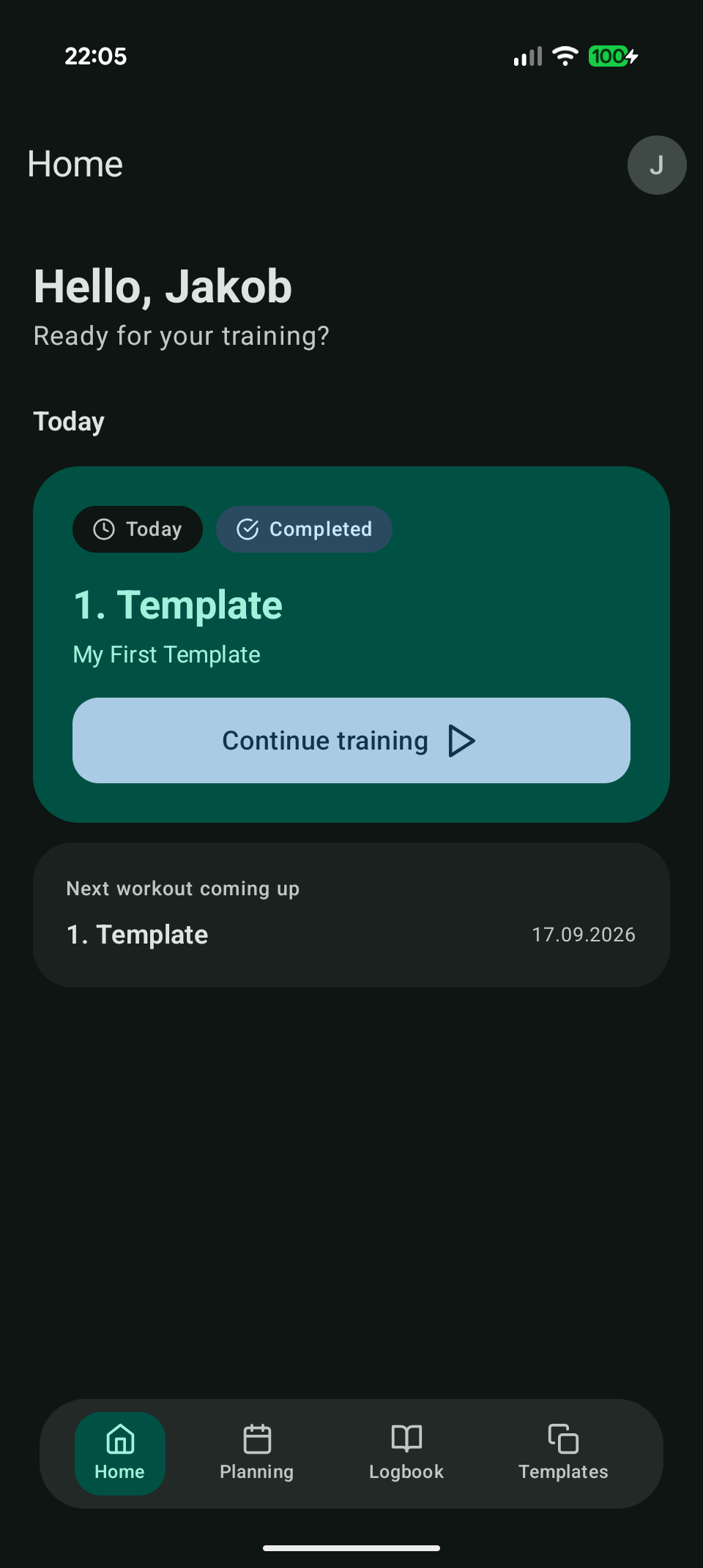
Scaffoldfor the main tabs. This allows for a persistent BottomBar that stays visible while you switch tabs.
- Profile Dialog: Instead of routing to a new screen, the user profile opens as a clean Dialog Card over the current screen, making it feel much faster.
- Security: Tokens are stored securely using
KVault(Keychain for iOS, EncryptedSharedPreferences for Android).
- Dependency Injection: I used Koin to keep the architecture clean (MVVM), allowing the UI to remain logic-free.
The Backend: Keeping it Clean & Adding a Scraping Service
For my backend (a self-hosted NestJS API), I tried to make major improvements to security and code cleanliness. Most of my backend wasn’t even touched by AI … I mean aside from a few MongoDB queries … they’re just really weird to write ok? … so I could assure everything was up to my expectations.
For extended features, I added a custom scraping service using a separate Python server. It scrapes all the fitness studios listed on my gym’s website and writes everything about their equipment directly into my database. It’s scheduled to run on startup and then one time per Month (don’t want to get accused of creating to much net traffic for them). I deployed this service in a separate Docker container within the same Docker network to ensure minimal downtime in case the scraper ever crashes.
Building a Local AI Agent for Training Templates
Having the exact context of my gym’s equipment in the database was especially helpful for my next big feature: Local AI Training Template generation.
To be honest, I initially wanted to use the MCP server I had programmed earlier for this task. But by the time I got to implementing the AI feature, I realized that Ollama doesn’t actually support MCP natively because it lacks an MCP client.
So, I built an Agentic loop directly in my NestJS backend to act as a middleman between Ollama and my server. I could have gone the route of calling my MCP server through my backend and called it a day. But after a short “question battle” with Claude Code, I decided that wasn’t feasible due to the unnecessary network requests I could save by just implementing the agent loop directly in the backend.
My custom MCP Server now exists on its own and isn’t connected to anything just yet. But building it was a fantastic learning experience regarding how these systems work. It lays the groundwork for future implementations, as I eventually plan to integrate external MCP-capable AI tools like Claude or ChatGPT.
Technical Deep Dive: Gymetrics Feature List
For those interested in the exact tech stack and architectural decisions, here is a breakdown of what’s running under the hood:
The Stack
- Frontend: Kotlin Multiplatform, Compose Multiplatform (Shared UI), targeting Android (first priority) and iOS.
- Backend: Self-hosted NestJS API with Dockerized microservices.
- Auth: Short-lived Bearer tokens + Refresh tokens.
Core Implementations
- Ktor Client & Auto-Refresh: Centralized HTTP client handling JSON serialization, timeouts, and dynamic base URLs. Used the Ktor
Authplugin to automatically attach tokens and trigger a silent refresh route (POST /auth/refresh) on 401 errors. - Offline-First Capabilities: Built a custom
ConnectivityObserverthat tracks network state app-wide. The app displays an offline badge in the TopBar and handles offline Auth checks by optimistically trusting the securely stored token. - App-Wide Theming: Implemented a custom
GymetricsThemewrapper around MaterialTheme, featuring a sleek, app-wide dark mode and adaptive Android icons. - State Management & DI: Strict MVVM architecture. State is handled via
sealed interfacesand exhaustivewhenstatements (Idle/Loading/Success/Error). Dependency Injection is handled entirely by Koin (usingappModule,single, andviewModelOf).
It’s been a massive journey from a simple Ionic prototype to a fully-fledged, offline-capable KMP application with agentic AI workflows. It started as a way to replace a spreadsheet, but it taught me modern mobile architecture, backend, and how to effectively wrangle AI coding assistants.

The comments are closed.