
Semester 1 Project: Meal Mate
Von Hesham Alhuraibi am 25.02.2026
Introduction
For this semester project, I developed MealMate, a cross-platform mobile application built with React Native and Expo. The idea behind the project was to create a practical tool that helps users discover recipes (nutrition, instruction, ingredients) , build weekly meal plans, and automatically generate shopping lists based on selected meals.
The project combines API integration, local data persistence, and structured state management in a mobile environment. My goal was not only to build a functional app, but also to deepen my understanding of mobile architecture and data handling.
Goals and Motivation
The main motivation behind MealMate was personal relevance. Planning meals manually is often unstructured and time-consuming, especially when trying to balance convenience, variety, and nutritional awareness. With MealMate, I wanted to create a system that allows me to plan meals for the week in a structured way, understand the nutritional values of my selections, and easily access detailed instructions and ingredient lists. Instead of just collecting recipes, the app combines planning, learning how to cook the meals properly, and managing the required ingredients in one coherent workflow.
At the beginning of the project, I defined the following learning goals:
- Learn Expo as a framework
- Connect a mobile application to an external API (Spoonacular)
- Manage and persist structured data locally
- Design a scalable state architecture in React Native
- Build a clear and reusable component structure
- Understand how to organize a medium-sized Expo Router project
The project clearly connects to the master class topics by combining planning, programming, system structure, and usability considerations.
Tech Stack
The application was built using:
- Expo + React Native + TypeScript
- Expo Router for file-based navigation
- Axios for API communication
- AsyncStorage for local persistence
- NativeWind / Tailwind for styling
I intentionally chose Expo because of its fast development workflow and strong ecosystem. Using TypeScript helped me manage structured data models such as recipes, meal plans, and shopping lists more safely. Most importantly, I chose it to learn web-app development framework.
Core Features
MealMate currently includes:
- Recipe search via the Spoonacular API
- Detailed recipe views (ingredients, instructions, nutrition)
- Weekly meal planning
- Automatic grocery list generation
- Grouping shopping items by aisle
- Persistent local storage of favorites and plans
The grocery list generation was one of the more interesting technical parts. Ingredients from multiple recipes need to be aggregated and normalized into a single structured list. This required careful mapping and data transformation.
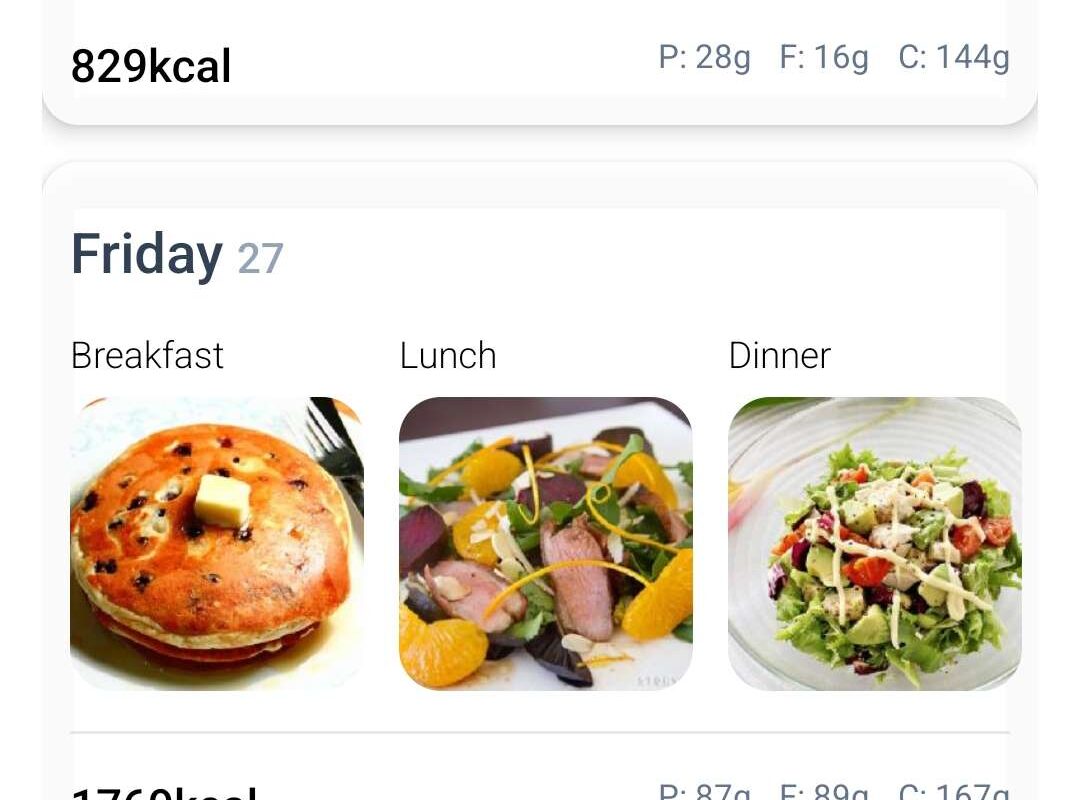
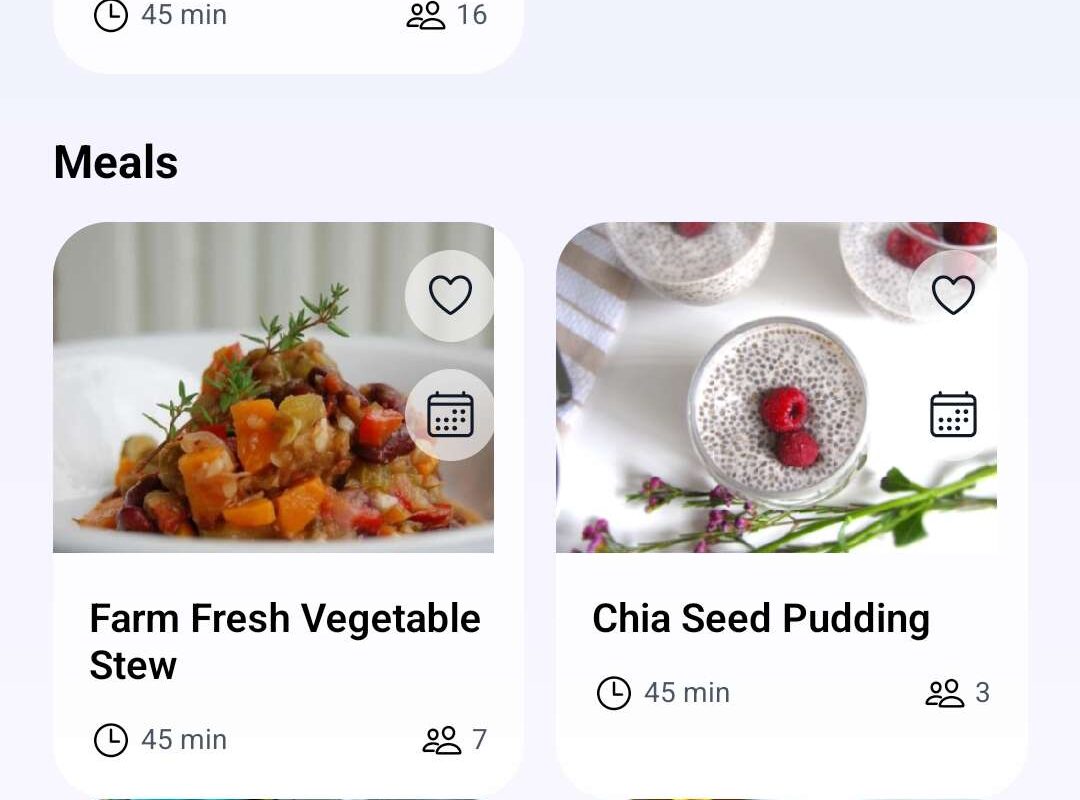
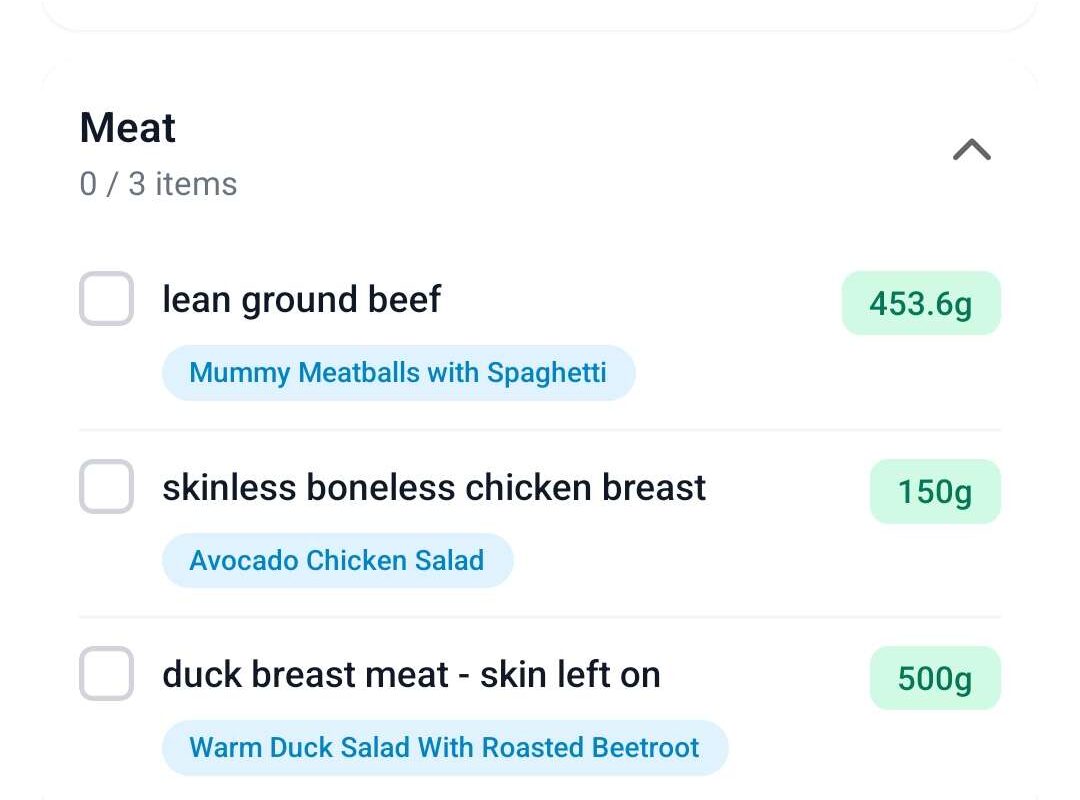
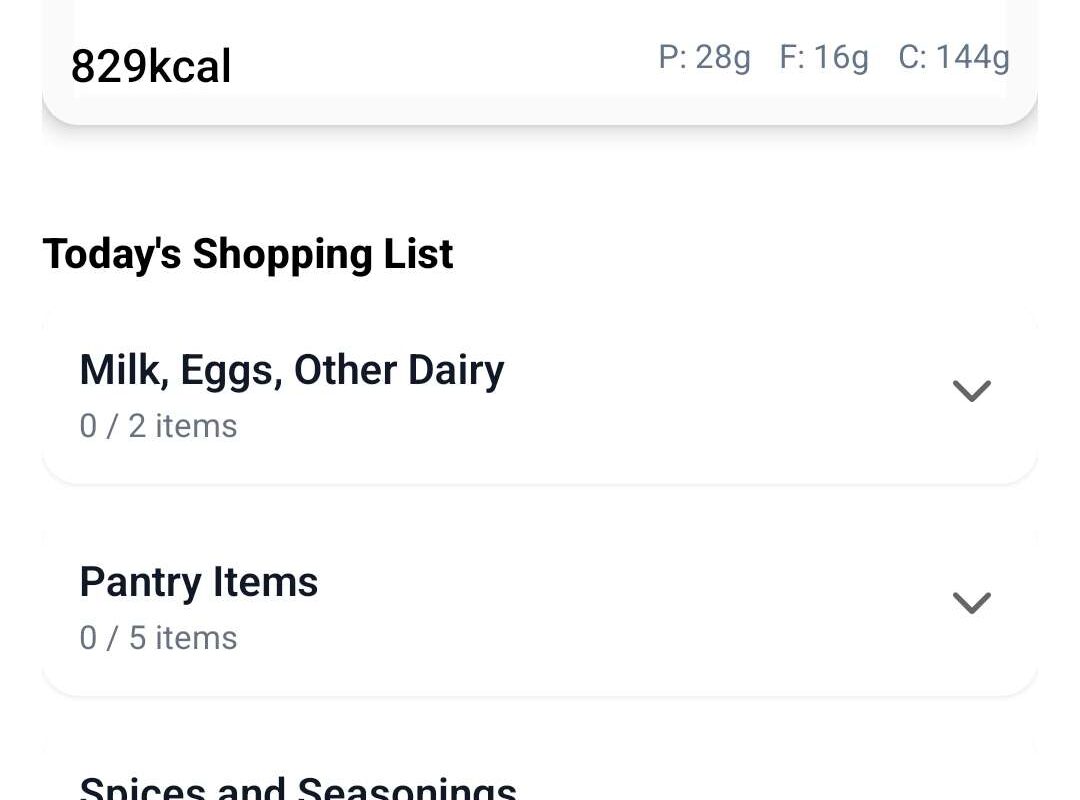
Architecture and Data Flow
To keep the project structured, I separated it into logical layers:
api/→ low-level API callsservices/→ business logic (meal planning, grocery aggregation)state/→ global state managementtypes/→ request/response modelsutils/→ normalization helpers
This modular approach helped me maintain clarity and avoid tightly coupled components. I learned how important early structural decisions are when building an app that handles multiple interconnected data types.
Challenges
One of the main challenges was handling API limitations. Since MealMate relies on the Spoonacular API, I had to deal with rate limits and request constraints. To prevent runtime crashes caused by too many simultaneous requests, I implemented a centralized API instance that manages headers and request configuration in one place. Additionally, I introduced controlled Promise delays to ensure that requests are spaced out properly. This forced me to think more carefully about request flow, caching, and responsible API usage.
Another major challenge was design. I am not a designer, so creating an interface that feels intuitive and structured required multiple iterations. It was difficult to balance functionality with simplicity, especially when dealing with multiple features such as recipe search, meal planning, and grocery list generation. I had to rethink layouts several times to make navigation clear and reduce cognitive load. This process helped me understand how important usability and visual hierarchy are in mobile applications.
Managing state complexity was also demanding. Recipes, favorites, meal plans, and aggregated grocery lists are all interconnected. Keeping this logic clean without creating tight coupling between components required careful separation of concerns.
What I Learned
This project significantly deepened my understanding of working with external APIs in a mobile context. I learned how to structure API calls properly, manage headers centrally, and implement basic caching strategies to reduce unnecessary requests. More importantly, I gained practical experience in handling asynchronous data flows and integrating API responses into React state in a stable and predictable way.
My understanding of Expo also improved considerably. Before this project, I had only limited experience with Expo. Through building MealMate, I learned how to leverage its development workflow, routing system, and build tools effectively. I became more comfortable with React Native’s JSX-like syntax, which resembles HTML but behaves differently in terms of layout and styling. Understanding how components render, how styling differs from traditional CSS, and how navigation works in a mobile environment was an important learning step.
Beyond technical skills, I learned how crucial project architecture is. Organizing the application into API, services, state, and utility layers made the project manageable and scalable. This reinforced the importance of planning system structure early.
Outlook
While the current version fulfills the MVP goals, there are several potential extensions I would like to explore in the future.
One improvement would be more advanced filtering and grouping features. Instead of only saving meals as favorites, users could create custom groups or collections for different goals, such as “High Protein,” “Quick Meals,” or “Vegetarian Week.”
Another interesting direction would be implementing an image-based scanner. For example, users could scan a meal or ingredient and receive similar recipes along with nutritional information. This would extend the application beyond manual search and introduce a more interactive discovery process.
Overall, MealMate provides a strong foundation that can be expanded further, both technically and conceptually.